A video that works goes through several small steps: grab the reference video, read what is said in it, write your own script, check it follows TikTok Shop rules, then clean up the render. Each Klonify app handles one of these steps, in the same account as your generations. Open the app, paste your link or video, and the result lands in your library.
The downloader grabs a TikTok, Instagram or YouTube video in HD. The transcriber gives you the exact text of everything said, from the link.
The generator writes a short script from a product idea. The checker flags risky claims before you film or generate.
Remove the watermark from Veo, Kling, Seedance or Wan videos, and remove burned-in captions by blurring or cropping.
Extend asks the AI to film what happens next. Transfer replaces the person on camera with your AI influencer, with your gestures and voice.
Each app shows its price in credits before you launch, for example 1 credit per minute for transcription. Credits come from your Klonify plan.
To your account library, next to your generated videos and images. You can reuse them in the studio or in the Super Agent.
No. Every app runs in the browser, on desktop and mobile.
One app, one result: edit, clean up, download and transcribe your TikTok, Instagram and YouTube videos.
Remove captions, watermarks and product photo backgrounds.
Remove burned-in captions from a video by blurring or cropping.
Remove the visible watermark from Gemini and Nano Banana images (free) and from Veo, Kling, Hailuo, Seedance, Wan, Grok, Pika, Runway videos and more.
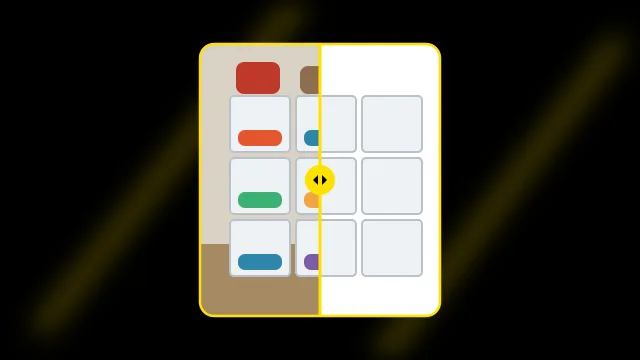
Removes everything around your product (items on or inside it, decor, hands, text overlays) and keeps it identical on a white background.
Download a video in HD or get everything that is said in it.